Navimow X4 Error Code 3110: Wheel Motor Error
Error 3110 means the X4 detected a wheel motor problem.
Reviewed October 7, 2026 by RobotMower.help. Independent guidance checked against the official support source linked below.
Quick answer
Press STOP and restart the X4 once if the code persists. Check only for obvious external blockage and contact support if 3110 returns.
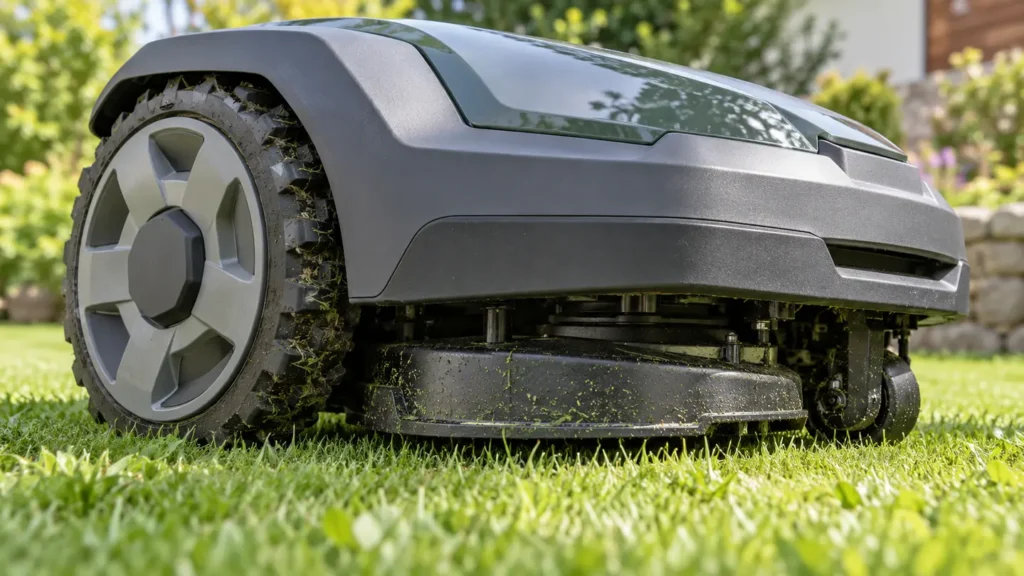
3110 at a glance
| Mower | Navimow X4 |
|---|---|
| Code | 3110 |
| What the official steps point to | Wheel Motor Error |
What 3110 means
Navimow identifies 3110 as a wheel motor error. Unlike an obstruction-specific message, this code does not confirm that grass or debris is the cause, so owner inspection should remain external and limited.
Fix Navimow X4 3110 step by step
- 1. Press STOP and make the mower safe.
- 2. Note which direction or terrain condition preceded the alert.
- 3. Power down and check externally for loose grass, mud, string or an object around the wheels.
- 4. Remove only loose, accessible debris without opening the motor housing.
- 5. Restart the X4 once.
- 6. Run a short test on flat, open ground.
Check these conditions before resetting anything
- Both wheels can be visually inspected.
- The mower is not wedged against an object.
- The test area is level and dry.
- No wheel housing is opened.
Do not force the wheel, dismantle the drive assembly or assume the motor must be replaced. The official correction is to clear, restart and escalate a persistent code.
How to verify the fix
The X4 should drive, turn and stop normally on flat ground without 3110 returning.
If the same code returns, record the exact time, mower location, indicator status and any earlier alert. That sequence is more useful to support than repeated resets.
When to contact support
Contact Navimow if 3110 returns after one restart or the wheel does not move normally. Provide the serial number, time and a video.
Frequently asked questions
What does X4 error 3110 mean?
Navimow defines it as a wheel motor error.
Can debris cause it?
An external obstruction is worth checking, but 3110 does not prove debris is the cause.
Should I open the motor housing?
No. Keep inspection external and contact support if the code returns.
Related robot mower help
Source and scope
Primary reference: official Navimow support guidance for 3110.
RobotMower.help is independent and is not affiliated with or endorsed by Navimow. This guide explains owner-safe checks and does not replace the manufacturer manual or professional service.