Home / Navimow / Diagnostic Guide
Navimow i2 AWD Charging Station Communication Problems
Fix Navimow i2 AWD charging station communication problems by checking power, contacts, placement, pairing, and the exact station error code.
Reviewed October 6, 2026 by RobotMower.help. Independent guidance based on the site’s code-specific manufacturer research.
Quick answer
Confirm the charging station has power, clean and dry the accessible charging contacts, check visible cables, and avoid moving the station until you know whether the problem is power, location, communication, or docking.
Why this symptom can have several causes
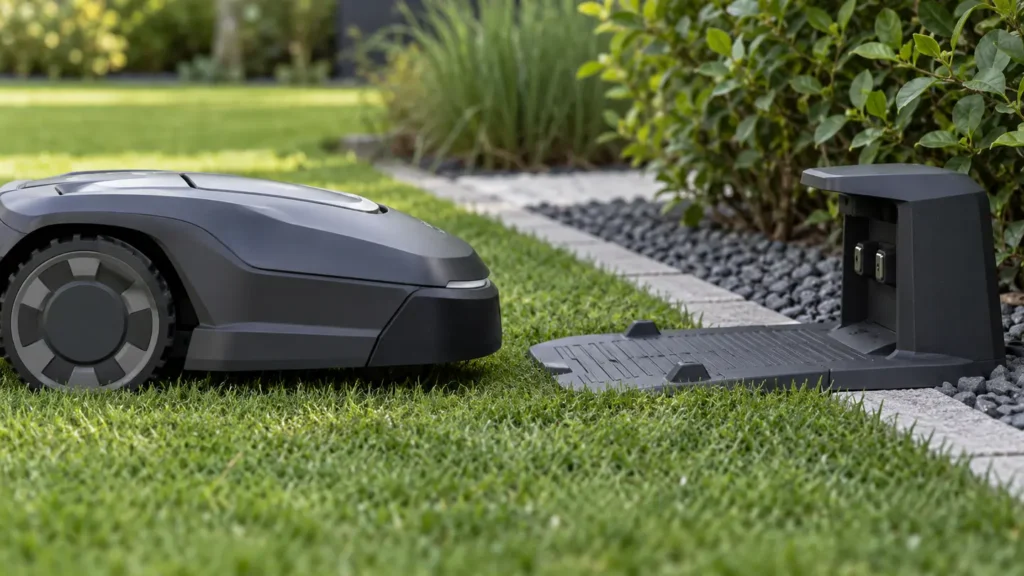
The mower can fail to communicate with the station even when the station appears powered. A separate location or docking problem can produce a similar result, so the displayed code matters.
This guide covers station communication as a symptom cluster. Code-specific pages retain the exact-code search intent.
Diagnostic checks in the safest order
- Verify the station power indicator and confirm the power supply is firmly connected.
- Inspect accessible cables and connectors for looseness, moisture, or damage without opening the power supply.
- Clean dry charging contacts with the mower and station safely powered down.
- Check that the station has not shifted, tilted, or become obstructed by grass or objects.
- Restart the mower and station once, then watch one supervised return attempt.
Match the symptom to the code
| Code or group | Reported area | Detailed guide |
|---|---|---|
| 4104 | Charging station communication error | Open guide |
| 4108 | Charging station communication error | Open guide |
| 6104 | Charging station location error | Open guide |
| 6113 | Mower docking error | Open guide |
| 9111 | Mower charging error | Open guide |
When to stop troubleshooting
Stop and contact Navimow support when the same fault returns after one restart, the mower moves unpredictably, a sealed component appears damaged, charging equipment is wet or damaged, or the mower cannot complete a short supervised test safely.
Frequently asked questions
Why can my mower see the station but not communicate with it?
Station power, a connection fault, station pairing, firmware state, or internal communication can be involved. Check the displayed code before changing the map.
Should I move the charging station?
Do not move it as a first step. A changed station position can create a separate location error.
What information should I save for support?
Save the code, station light status, mower battery level, firmware and app versions, time of failure, and a video of the docking attempt.
Related Navimow guides
- Navimow troubleshooting hub
- Robot mower error-code library
- Common Segway Navimow problems
- Navimow GPS signal weak
RobotMower.help is independent and is not affiliated with Segway Navimow. Confirm safety and repair instructions with the manufacturer documentation for your model.