Home / Navimow / Diagnostic Guide
Navimow i2 AWD Steering Problem: Diagnose Turning and Direction Faults
Diagnose a Navimow i2 AWD steering problem using turning behavior, temperature, encoder, motor, and motion-control error codes.
Reviewed October 6, 2026 by RobotMower.help. Independent guidance based on the site’s code-specific manufacturer research.
Quick answer
Move the mower to level ground, clear debris around the steering and wheels, let it cool if it has been working under heavy load, and identify the exact code before restarting once.
Why this symptom can have several causes
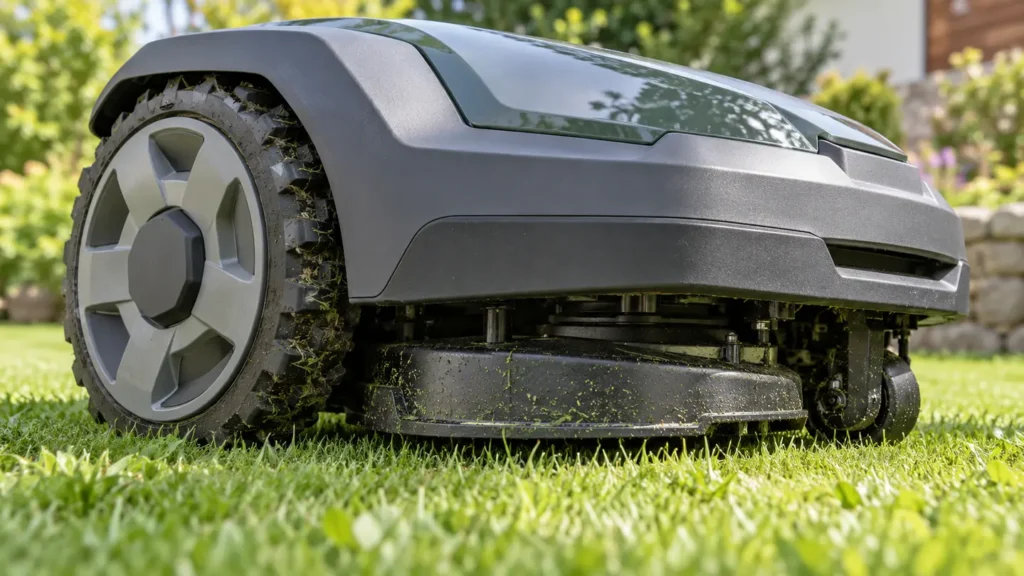
Poor turning can come from a wheel obstruction, steering motor overheating, encoder feedback, or a broader motion-control problem. Treating every steering symptom as a mapping issue can lead to unnecessary remapping.
This page targets steering and turning behavior, while the individual error pages explain each code in detail.
Diagnostic checks in the safest order
- Press STOP and power the mower down before inspecting the wheels or steering area.
- Check for mud, long grass, twine, or small objects that can restrict turning.
- If the mower or steering area feels unusually hot after a demanding task, allow it to cool in shade.
- Use the error code to decide whether the alert concerns the steering motor, its position feedback, a drive wheel, or motion planning.
- After the condition clears, test only on flat open ground and stop if it circles, jerks, or cannot hold a straight path.
Match the symptom to the code
| Code or group | Reported area | Detailed guide |
|---|---|---|
| 3413 | Steering motor overtemperature | Open guide |
| 3414 | Steering magnetic encoder abnormality | Open guide |
| 3110 | Wheel motor error | Open guide |
| 7102 | Wheel encoder data error | Open guide |
| 6106 | Motion planning error | Open guide |
When to stop troubleshooting
Stop and contact Navimow support when the same fault returns after one restart, the mower moves unpredictably, a sealed component appears damaged, charging equipment is wet or damaged, or the mower cannot complete a short supervised test safely.
Frequently asked questions
Why is my Navimow i2 AWD turning in circles?
Uneven wheel movement, steering feedback, a blocked wheel, or positioning trouble can cause circular movement. Stop the mower and check the exact error code.
Should I remap the lawn for a steering problem?
Not first. Rule out physical wheel and steering faults before deleting or rebuilding a map.
Is a hot steering motor dangerous?
Stop operation and allow the mower to cool. If an overtemperature code returns during a light supervised test, contact support.
Related Navimow guides
- Navimow troubleshooting hub
- Robot mower error-code library
- Common Segway Navimow problems
- Navimow GPS signal weak
RobotMower.help is independent and is not affiliated with Segway Navimow. Confirm safety and repair instructions with the manufacturer documentation for your model.