Home / Navimow / Error Codes
Navimow X4 Error Code 9111: Mower Not Charging
Error 9111 appears when the Navimow X4 fails to charge at its station. The first checks are physical: the charging-port area must be clean and the station must hold the mower steadily on a flat surface.
Reviewed by the RobotMower.help editorial team. Independent guidance based on the manufacturer source linked below.
Quick answer
Navimow defines code 9111 as “Mower Charging Error.”
Remove grass, dirt, and debris from around the charging-port area, then confirm that the station is firm and level. Re-dock the mower and watch whether charging begins. If 9111 returns, stop repeated docking attempts and contact Navimow support.
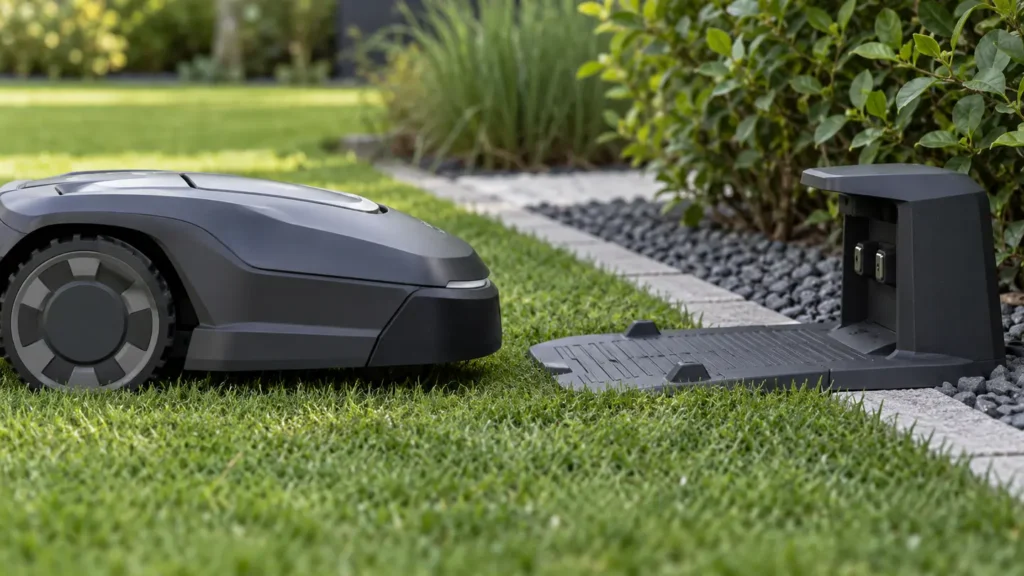
Illustrative troubleshooting image; not a manufacturer product photo.
Follow this diagnostic sequence
- Stop the task and inspect safely. Turn the mower off before touching the charging area.
- Clear the charging-port area. Remove dry grass, dirt, and other visible debris that could prevent stable contact. Do not scrape contacts with metal tools.
- Inspect station stability. The manufacturer specifically calls for a charging station placed firmly on a flat surface.
- Re-seat the mower once. Place it squarely on the station and watch the app or mower indication for a charging state.
- Record the failure. If the code returns, take a photo or video showing the mower on the station before moving anything else.
Stop if there is heat, moisture, or damage
Do not continue charging if the port, cable, power supply, or station appears burned, cracked, wet, or unusually hot. Disconnect power only when it is safe and escalate the issue. Code 9111 confirms a charging failure, but it does not identify a failed battery by itself.
What this code actually tells you
This code tells you that charging did not establish correctly at the station. The official first-line procedure focuses on connection quality and physical alignment rather than resetting maps, changing Wi-Fi, or replacing the battery.
If the station has no apparent power at all, work through the broader checks on our robot mower charging problems page. If the station powers normally but 9111 remains, preserve the evidence for support.
How 9111 differs from error 2105
Error 2105 is a battery-temperature warning. Error 9111 means the mower is failing to charge at the station. Treat heat as a safety issue, but do not assume every 9111 is an overheating battery.
Before contacting Navimow support
Prepare the mower serial number, the exact date and time the error occurred, and a screenshot or video showing the message. Also note whether the mower was mowing, docking, charging, starting, or communicating with the app when the code appeared.
Frequently asked questions
Debris around the charging-port area can prevent a stable connection, which is why cleaning that area is Navimow’s first instruction.
No. The code indicates a charging failure and does not, by itself, identify the battery as the failed part.
First confirm it is firm and level. Avoid relocating it unnecessarily if its current site otherwise meets the installation requirements.
Related troubleshooting guides
Source and independence note
Primary source: Segway Navimow support documentation. RobotMower.help is independent and not affiliated with Segway Navimow or another mower manufacturer. Never open sealed electronics or bypass the mower’s safety systems.