ANTHBOT Error E302: Mower Stuck or Unable to Move
Error E302 appears when the mower becomes stuck in terrain, vegetation or an edge-mowing area.
Reviewed October 7, 2026 by RobotMower.help. Independent guidance checked against the official support source linked below.
Quick answer
Move the mower to flat, solid ground, remove debris from the wheels and underside, then restart it for a supervised test.
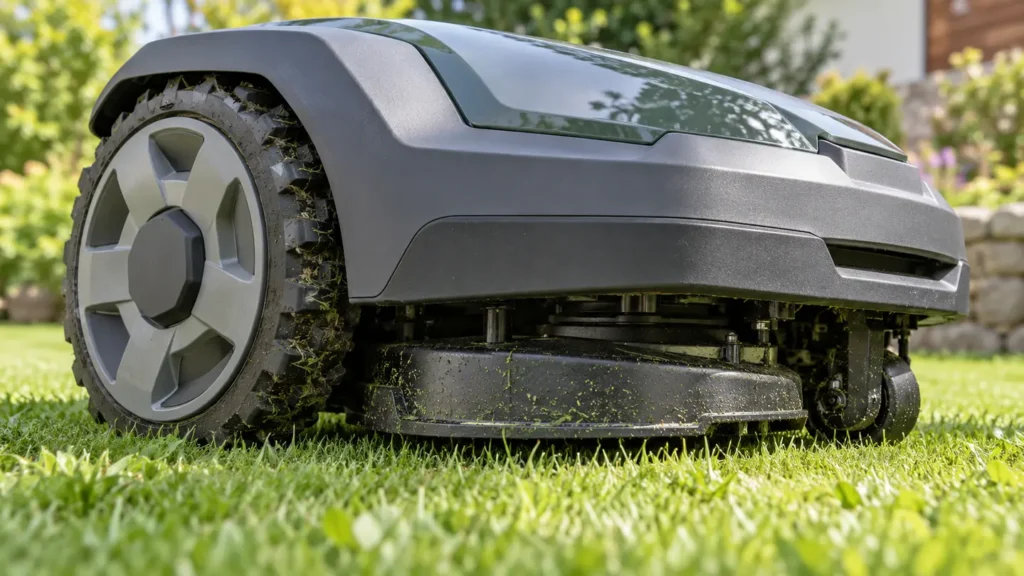
E302 at a glance
| Mower | ANTHBOT robot mower |
|---|---|
| Code | E302 |
| What the official steps point to | Mower stuck or unable to move |
What E302 means
ANTHBOT links E302 to physical trapping, slippery soil, bushes, roots, objects, uneven edges or a dirty camera that reduces environmental recognition.
Fix ANTHBOT robot mower E302 step by step
- 1. Power down safely and move the mower out of the trapped position.
- 2. Place it on flat, solid ground.
- 3. Inspect the wheels and underside for mud, tangled grass or debris.
- 4. Clean the vision camera if dirt or clippings block it.
- 5. Restart and perform a short supervised test.
- 6. Mark repeat trouble areas as no-go zones or disable edge mowing where the edge is unsuitable.
Check these conditions before resetting anything
- The lawn is dry enough for traction.
- Roots, hoses, wires and loose objects are removed or excluded.
- Curbs, steps and stones are not treated as safe edge-mowing surfaces.
- The camera lens is clean.
Do not pull forcefully on a trapped mower while it is powered. Stop it first and remove only accessible debris.
How to verify the fix
The mower should drive and turn normally on firm ground without wheel slip or E302 returning.
If the same code returns, record the exact time, mower location, indicator status and any earlier alert. That sequence is more useful to support than repeated resets.
When to contact support
Contact ANTHBOT if the wheels are clear, terrain is firm and E302 returns during a supervised test. Send photos or video of the place where it stops.
Frequently asked questions
Can wet soil cause E302?
Yes. ANTHBOT notes mud, soft ground and wheel slip as common E302 situations.
Can a dirty camera contribute?
Yes. Dirt or grass on the camera can affect environmental recognition.
Should I use a no-go zone?
Use one for repeat trouble areas such as bushes, roots, loose soil or unsafe edges.
Related robot mower help
Source and scope
Primary reference: official ANTHBOT support guidance for E302.
RobotMower.help is independent and is not affiliated with or endorsed by ANTHBOT. This guide explains owner-safe checks and does not replace the manufacturer manual or professional service.