Home / Navimow / Diagnostic Guide
Navimow i2 AWD Cannot Find Charging Station: Return and Docking Fixes
Navimow i2 AWD cannot find the charging station? Check position, route, station location, communication, and docking codes in the right order.
Reviewed October 6, 2026 by RobotMower.help. Independent guidance based on the site’s code-specific manufacturer research.
Quick answer
Confirm the station is powered and unobstructed, then check mower positioning and the return route. Avoid moving the station or deleting the map until the exact code identifies location, communication, or docking.
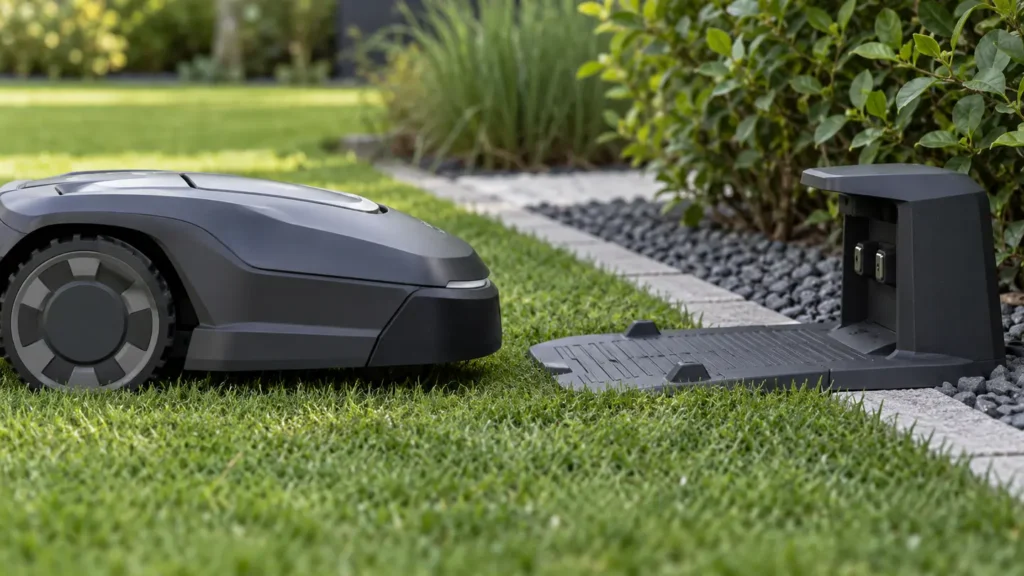
Why this symptom can have several causes
Finding the station requires a valid map, usable position, an accessible return route, correct station location, and successful final docking. A failure in any one layer can look like the mower simply wandering.
This page targets the return-to-base symptom. Existing code pages remain the detailed destinations once the app shows a specific number.
Diagnostic checks in the safest order
- Verify station power and remove objects, tall grass, or clutter from the approach area.
- Confirm the station has not shifted since mapping.
- Check the app for position quality and the exact return or docking code.
- Walk the expected return path and look for new obstacles, narrow passages, slopes, or soft ground.
- Start one supervised return from a nearby open area and record where the sequence fails.
Match the symptom to the code
| Code or group | Reported area | Detailed guide |
|---|---|---|
| 6107 | Cannot find the charging station | Open guide |
| 6104 | Charging station location error | Open guide |
| 6113 | Mower docking error | Open guide |
| 4104 | Charging station communication error | Open guide |
| 6103 | Position acquisition error | Open guide |
When to stop troubleshooting
Stop and contact Navimow support when the same fault returns after one restart, the mower moves unpredictably, a sealed component appears damaged, charging equipment is wet or damaged, or the mower cannot complete a short supervised test safely.
Frequently asked questions
Why does my Navimow drive near the station but not dock?
The final approach may be obstructed, the station may have shifted, communication may fail, or the mower may have a docking-specific fault.
Should I pick up the mower and place it on the charger?
You can power it off and move it safely when necessary, but document the failed route first and use the exact code to diagnose the cause.
Can poor positioning stop the mower from finding the station?
Yes. The mower needs reliable position and map data to navigate the return route and align with the station.
Related Navimow guides
- Navimow troubleshooting hub
- Robot mower error-code library
- Common Segway Navimow problems
- Navimow GPS signal weak
RobotMower.help is independent and is not affiliated with Segway Navimow. Confirm safety and repair instructions with the manufacturer documentation for your model.